Installation and startup
Use Windows with .NET Framework 4.8 and an architecture-compatible Microsoft ACE OLE DB provider (12.0 or 16.0). The launcher prefers x64 ACE, then x86 ACE, then the x86 Jet 4.0 fallback. Provider installation is separate; an ODBC driver alone is not sufficient. No runtime or provider is bundled.
Build from source as described below, or use a separately supplied complete portable distribution. A source checkout is not a binary release.
AwardChecker\
  AwardChecker.exe
  AwardChecker.exe.config
  README.md
  x86\AwardChecker.App.exe
  x86\AwardChecker.App.exe.config
  x64\AwardChecker.App.exe
  x64\AwardChecker.App.exe.config
  Profiles\
  Defaults\
  Reports\
Keep this structure in a writable folder and start
AwardChecker.exe, not an architecture-specific child.
Missing prerequisites or an architecture fallback are reported explicitly.
A failed database read does not silently select a different provider.
When replacing an older AwardScorer installation, close it first and preserve Profiles, Defaults and Reports. Existing profile/default formats remain compatible. Update your shortcut to the new launcher.
Create or load an award profile
- Choose New profile or Load profile.... No award template or station list is bundled. New profiles start with 20M and CW as editable choices, no stations and no achievement levels.
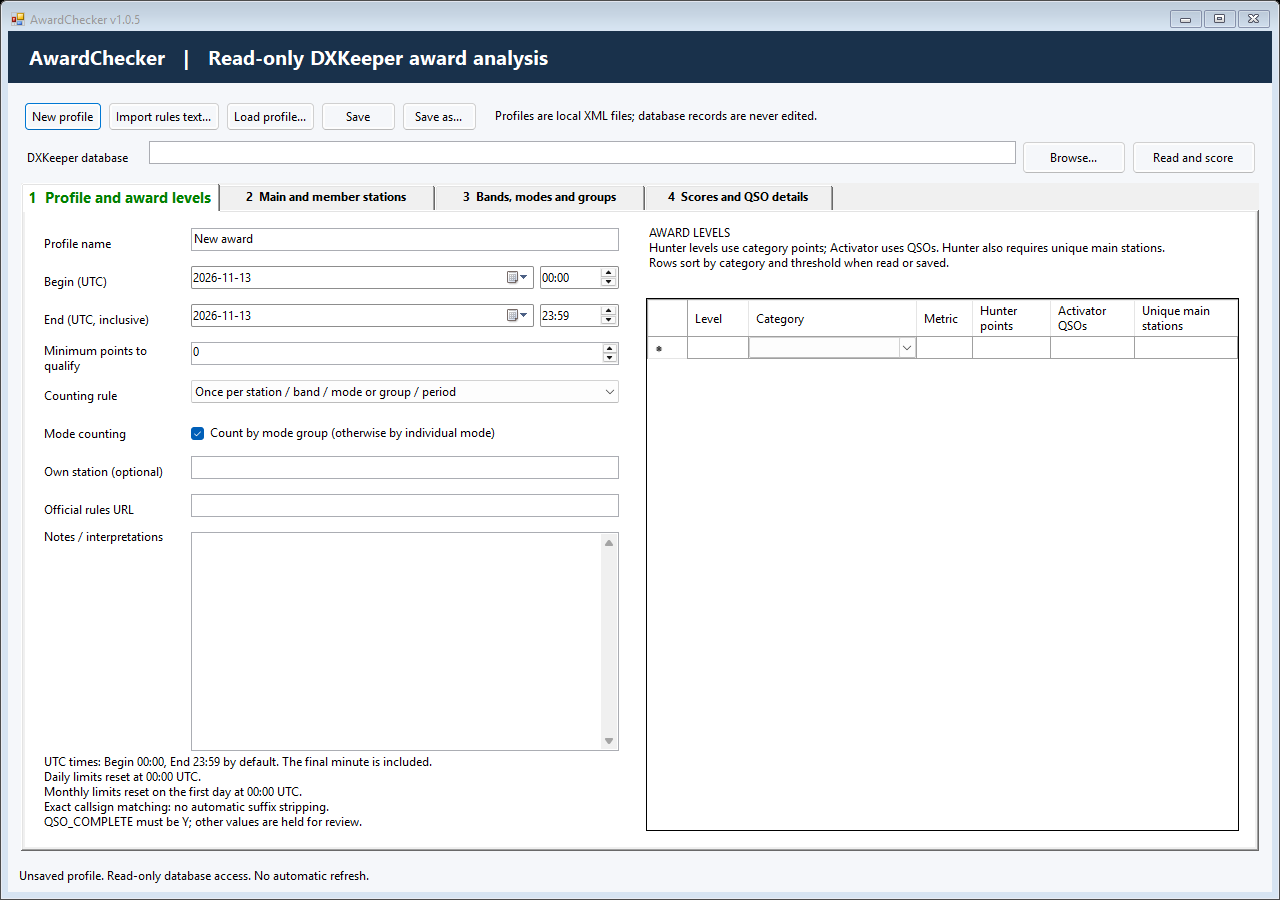
- On tab 1, set the award name, inclusive Begin/End UTC dates and times, counting rule, optional minimum points and category-specific levels.
- On tab 2, enter/import main and optional member calls. Callsign-list import replaces the selected category. Add at least one eligible station.
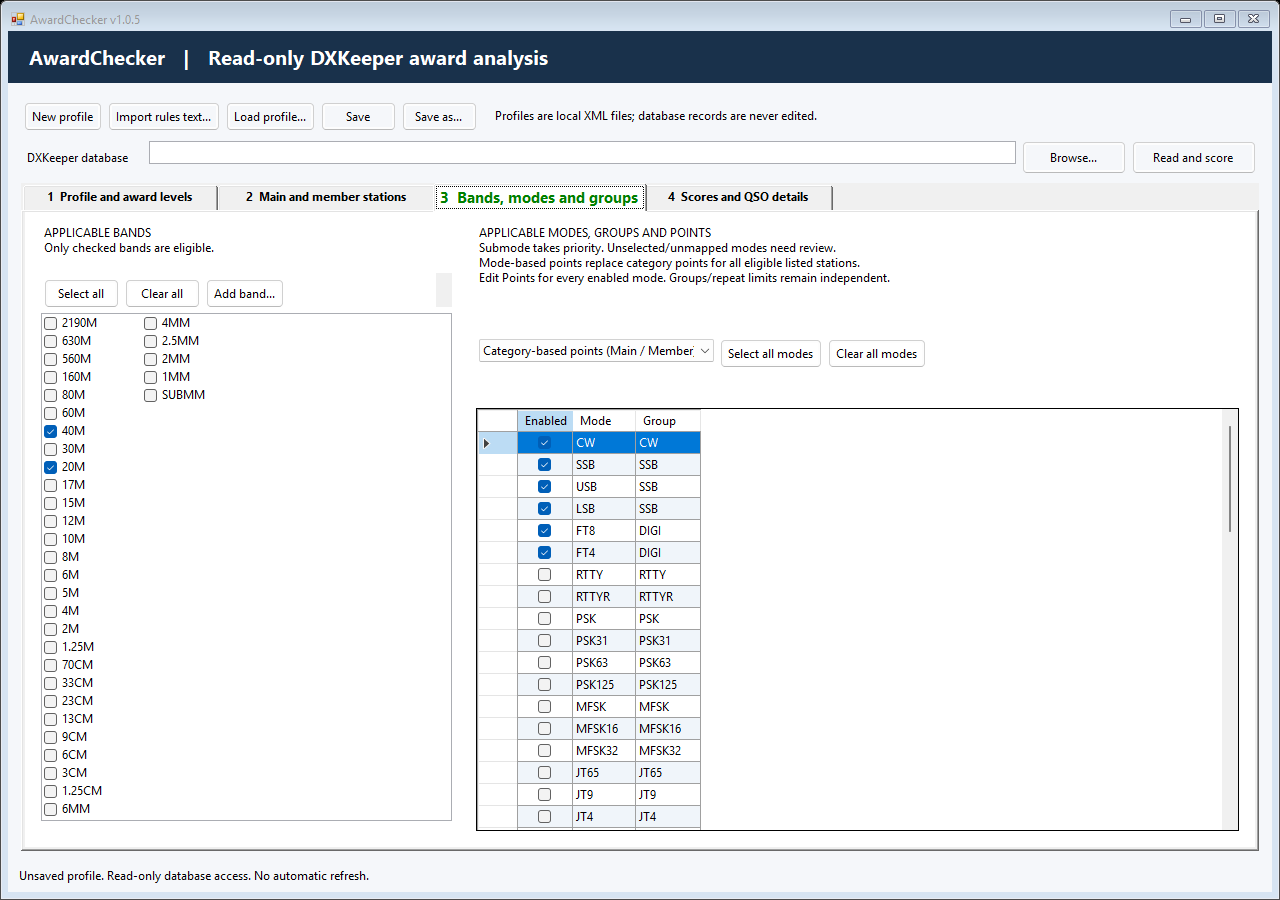
- On tab 3, enable eligible bands/modes, review mode groups and choose category-based or mode-based points. Mode-based scoring requires a points value for every enabled mode.
- Save a named
.award.xmlprofile, select your DXKeeper.mdbwith Browse..., then explicitly choose Read and score.
Begin defaults to 00:00 and End to 23:59 UTC. The entire End minute counts. Old date-only profiles retain whole-day behavior. Saved profile names appear in the title only after loading or successful saving.
Import and review rules
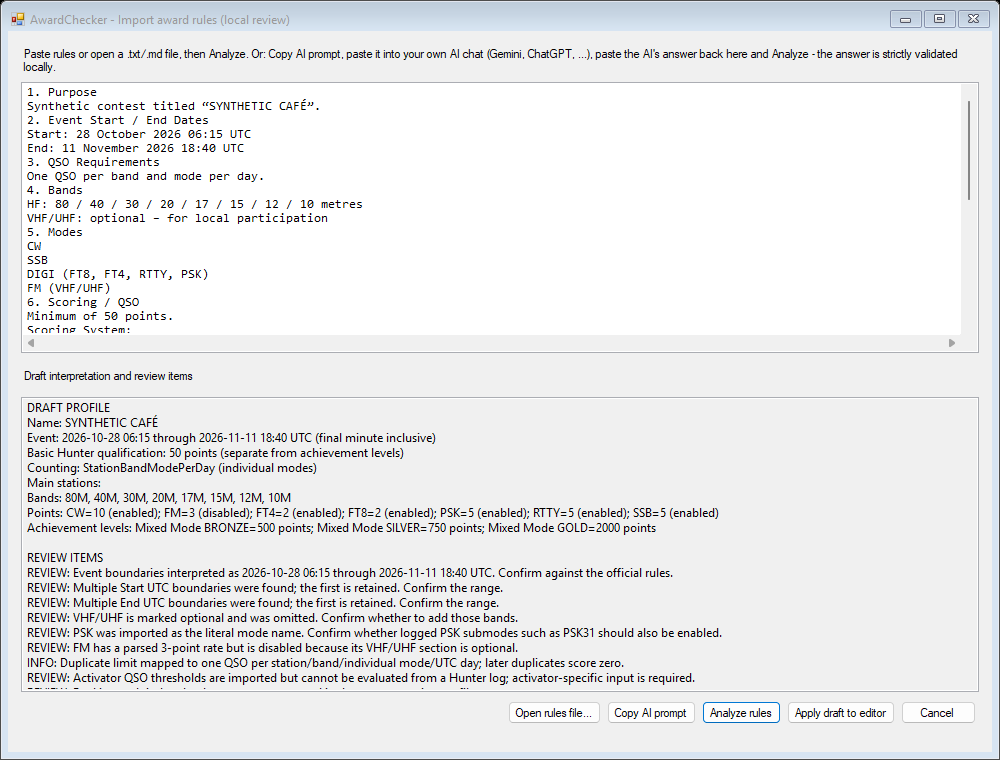
Import rules text... accepts pasted text or local
.txt/.md files. Analyze the draft, review every
finding and choose Apply draft to editor. Applying is
not saving. Add missing station lists and correct unsupported rules manually.
The local parser recognizes only supported patterns. It is not a general award-rule interpreter. For other wording, Copy AI prompt places a prompt and the supplied text on your clipboard. You may paste it into your own AI chat, then paste its structured answer back for local validation. AwardChecker sends nothing itself; you decide what leaves the PC and must verify the answer.
The structured format keeps the header AWARDSCORER-IMPORT: 1
for compatibility. Only import content you are authorized to use.
Eligibility, points and duplicate counting
- Callsigns match exactly after trimming/case normalization. No automatic suffix removal is performed. Main stations take precedence over members.
- A recorded submode takes priority over its parent mode. Unknown or disabled modes, missing fields and non-Y QSO_COMPLETE values need review.
- Choose station, station/band, or station/band/mode counting over the supported event, UTC-day or calendar-month scope. The earliest eligible QSO wins its duplicate key. Review rows do not consume a key.
- When mode grouping is selected, the counting key uses the assigned group where the rule includes mode. Equal points do not merge groups.
- Hunter levels use points and any unique-main requirement together. The basic minimum qualification remains separate. Activator QSO-count levels are not evaluated from a Hunter log.
- MyQTHID sections share one combined score and never reset duplicate keys.
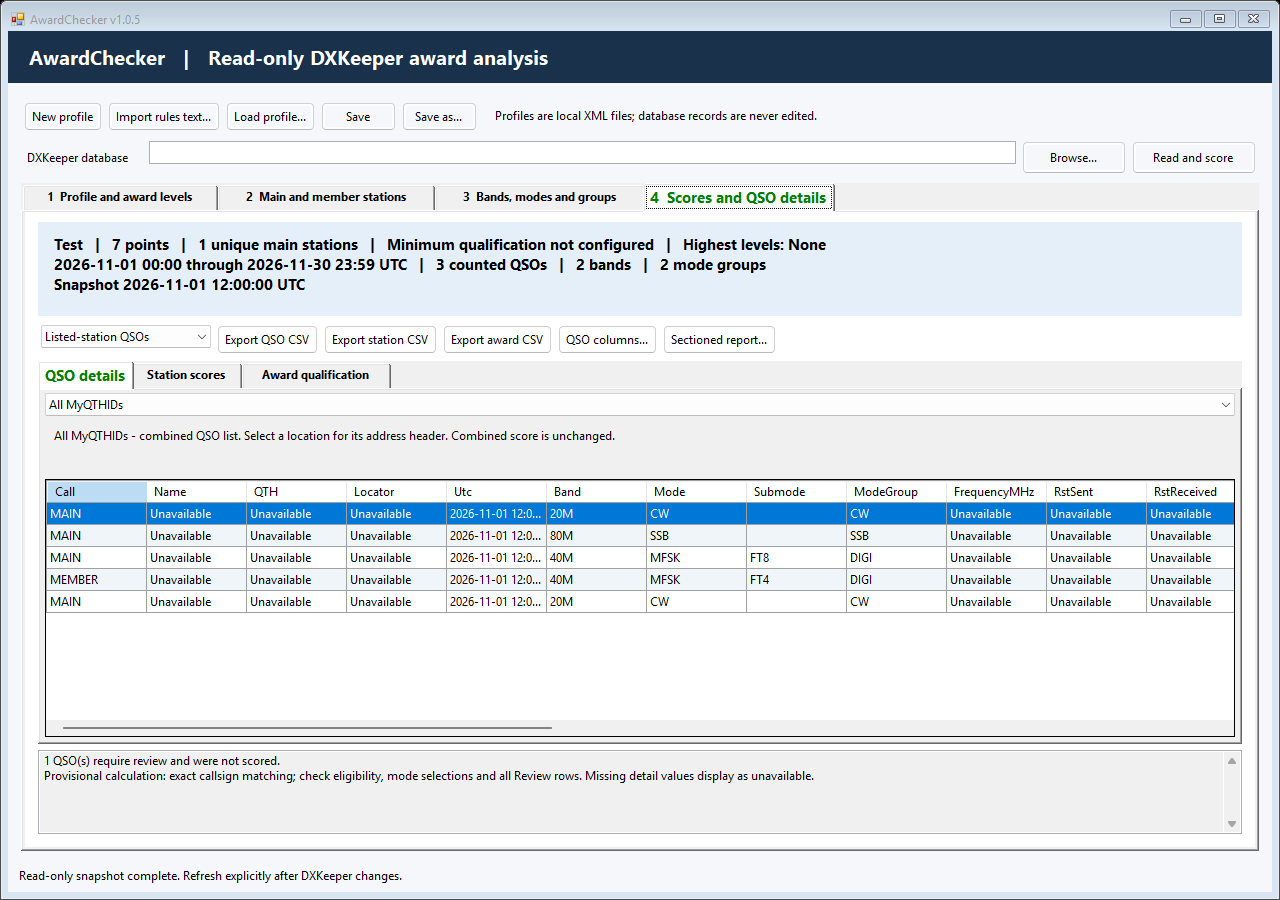
The summary counts distinct bands represented by Counted QSOs only. It counts distinct mode groups when grouping is selected; otherwise it counts distinct effective modes. Excluded and Review rows do not inflate these totals.
Review results and export
Use the QSO details, station scores and award qualification tabs. Results are a snapshot: changing rules/database selection invalidates them, and refreshing always requires an explicit read.
Choose All MyQTHIDs or a location section for display. QSO CSV exports include all locations in the selected row view and all detail columns. Station CSV follows its counted-station filter. Sectioned HTML uses visible columns in profile order and includes location headers.
QSO columns... controls order/visibility. Drag table headers to resize columns. Save your profile or explicitly save/restore a user-default layout; app-default restore does not delete user settings.
Exports are stored in the portable Reports folder. Review HTML/CSV before sharing: location headers may include your address. Hide unneeded columns and use landscape/scaling when printing wide reports.
Local data and privacy
Profiles, Defaults and Reports live beside the launcher, not the child executable. The last successfully read database path is remembered in Defaults, but startup never reads the database automatically.
The reader uses Mode=Read and SELECT queries only. A database provider may manage its own shared-access lock file. AwardChecker does not update QSOs, control station equipment or contact an award service.
Do not upload real logs, personal profiles, addresses, station paths or unreviewed reports to public issues. Use fictional reproductions. External award rules and datasets retain their own redistribution terms.
Troubleshooting
- No compatible runtime/provider: follow the launcher's diagnostic and verify the installed .NET Framework/provider architecture.
- Missing child executable/configuration: restore the complete portable folder, including both architecture folders.
- Zero score: check UTC range, exact station lists, enabled bands/modes, own-station filter and every Review reason.
- Import incomplete: review the draft, fill missing values and verify against the official rules; do not assume inferred values.
- Cannot save/export: use a writable local folder and inspect the reported path/error. There is no silent alternate data folder.
Build and test from source
On Windows with a .NET SDK, from the source root:
dotnet restore Tests\AwardChecker.Tests.csproj --verbosity normal
dotnet build Tests\AwardChecker.Tests.csproj --configuration Release --no-restore --verbosity normal
dotnet build AwardChecker.csproj --configuration Release -p:PlatformTarget=x64 --no-restore --verbosity normal
dotnet restore AwardChecker.Launcher.csproj --verbosity normal
dotnet build AwardChecker.Launcher.csproj --configuration Release --no-restore --verbosity normal
.\Tests\bin\Release\net48\AwardChecker.Tests.exe
The ordinary tests use synthetic data and do not open a real database.
Optional rendered checks use --preview <folder> and
--summary-preview <image.png>. Never run the optional
--database check without explicit permission for that database.
Support, contributions and license
Use the repository issue forms for reproducible bugs or feature requests. Include the application version, Windows/provider architecture and synthetic steps.
Optional support: Ko-fi. Donations are not required to use AwardChecker.
Original code and documentation use the MIT License. See the repository's LICENSE and THIRD-PARTY-NOTICES.md; external software and data keep their own terms. No official DXLab or award-organizer endorsement is claimed.